What it does
Built around how the work
actually arrives
Not a scheduling product with email bolted onto the side. WorkOrders starts where the request already is, and follows it all the way to a closed-out record you can invoice from.
One · getting in
Four adapters onto one pipe
Whichever of these you use, what comes out the other end is the same work order, with the original message, the whole thread and every attachment still bolted to it.
- Your own jobs.workorders.nz address
- Every company gets {you}@jobs.workorders.nz at signup. It is live before you have finished the registration form. No app password, no mailbox credentials, no DNS. Forward to it, or hand it out as the address for maintenance requests.
- Any IMAP mailbox: Gmail, Outlook, Microsoft 365
- Host, user, password, and we watch the mailbox your customers already write to. Processed mail is labelled rather than deleted or moved, so the inbox keeps reading the way whoever owns it expects. Gmail and Microsoft 365 need an app password rather than the everyday one.
- The API
- For work that begins somewhere else: a building management system, a tenant portal, your own maintenance schedule. Post it and it becomes a work order like any other. Read the API reference
- Your customers, from your portal
- Switch it on and a customer signed in to your portal can raise a request themselves (what needs doing, where, and a photo or two) and it arrives on the board marked as coming from the portal. Signing in means a link emailed to an address already on your customer list, so this is open to your customers rather than to anyone who is sent one of their emails.
Two · what happens to it
The chain, in order
Each of these runs on its own. None of them waits for someone in the office to notice something and do the next bit.
Extraction
A suggestion, never a decision
Requests turn up as a paragraph with no subject, a phone number in the middle of a sentence and the address only in a signature. The model reads the message and fills in what it can find: a plain summary, the site, the contact and the trade it needs.
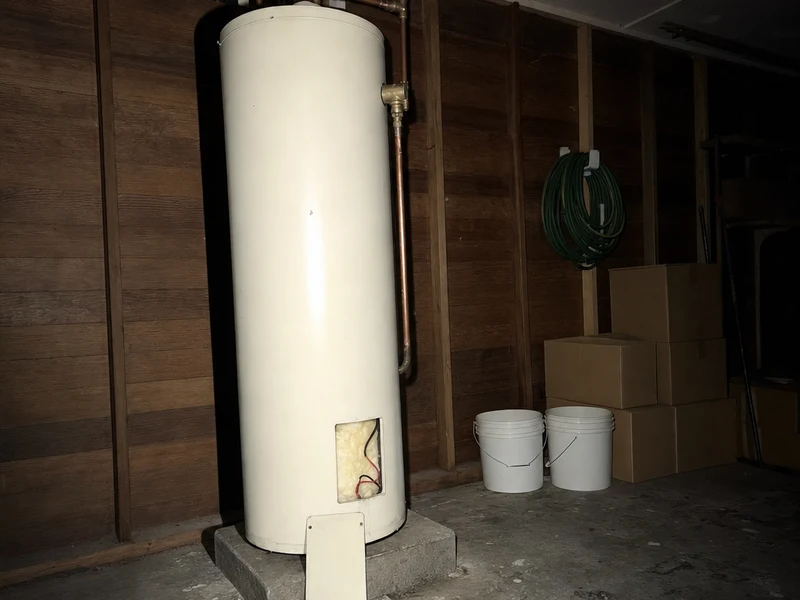
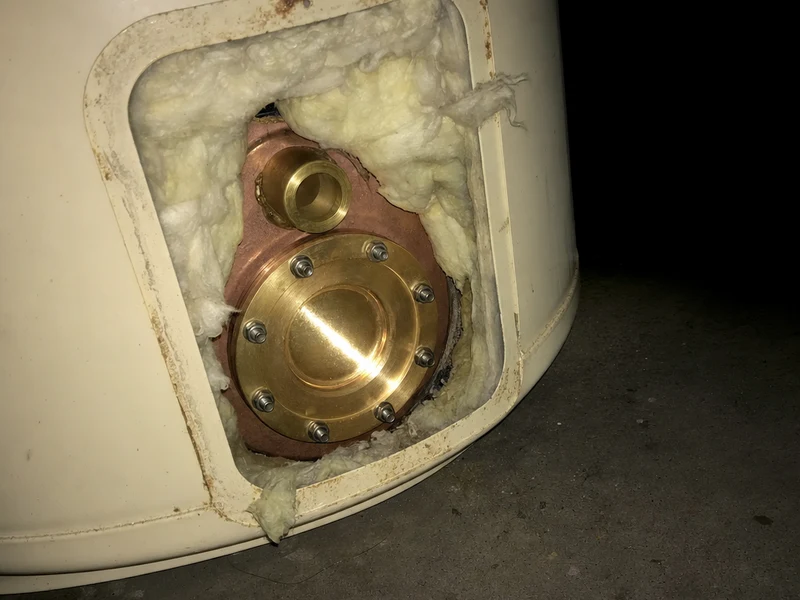
Attachments are described in words too, so a photo of a failed valve is
findable six months later rather than being a file called
IMG_4471.jpeg.
Every one of those lands in an ordinary editable field. Nothing is sent to a customer off the back of it and nothing is auto-assigned. If the extraction is wrong you fix the field, and the original email is sitting right there to check it against.
Urgency and status
Five states, and one of them is not a step
New, assigned, ongoing, completed: four states, because a board the field will not update is a board that lies to you, and these four are each one tap on a phone somebody is already holding. Deleted is the fifth, and it is the way out rather than the end: a request that was never a job leaves from wherever it got to.
Urgency is read off the words in the message. "No hot water, tenant has a newborn" is not the same request as "when you get a chance", and the difference decides where the job sits on the crew's list before anybody has opened it.
Dispatch
The crew claims the work. Nobody hands it out.
This is the part that is different, so it is worth being precise about. A new job is not assigned to anybody. It goes out to the whole company at once and sits there as unclaimed work.
The first technician to tap accept becomes its owner, sets how long until they are on site, and the job leaves everyone else's list. If two people tap at the same moment exactly one wins. The other is told it has already gone, rather than both turning up.
From then on it is theirs: only the owner can mark it ongoing or close it out. The office can still step in and reassign from the web app when it needs to.
First tap wins
WorkOrders
No hot water, both units
14 Rutland Street, Petone
Ana and Dave now see it as already assigned.
WorkOrders · now
New work order · high
No hot water, 14 Rutland St
Threading
Replies land on the job, not in a mailbox
Status emails go out as a reply to the customer's own message, from your firm, with your sign-off, not from software they have never heard of. They get one when the job is picked up, one when the work starts and one when it is finished, and nobody wrote any of the three.
When they reply, it comes back onto the work order itself. The job number is in the reply address, so a plain reply from a phone at the lights routes to the right job without anybody forwarding anything.
Three · the office
The dashboard, live, without refreshing it
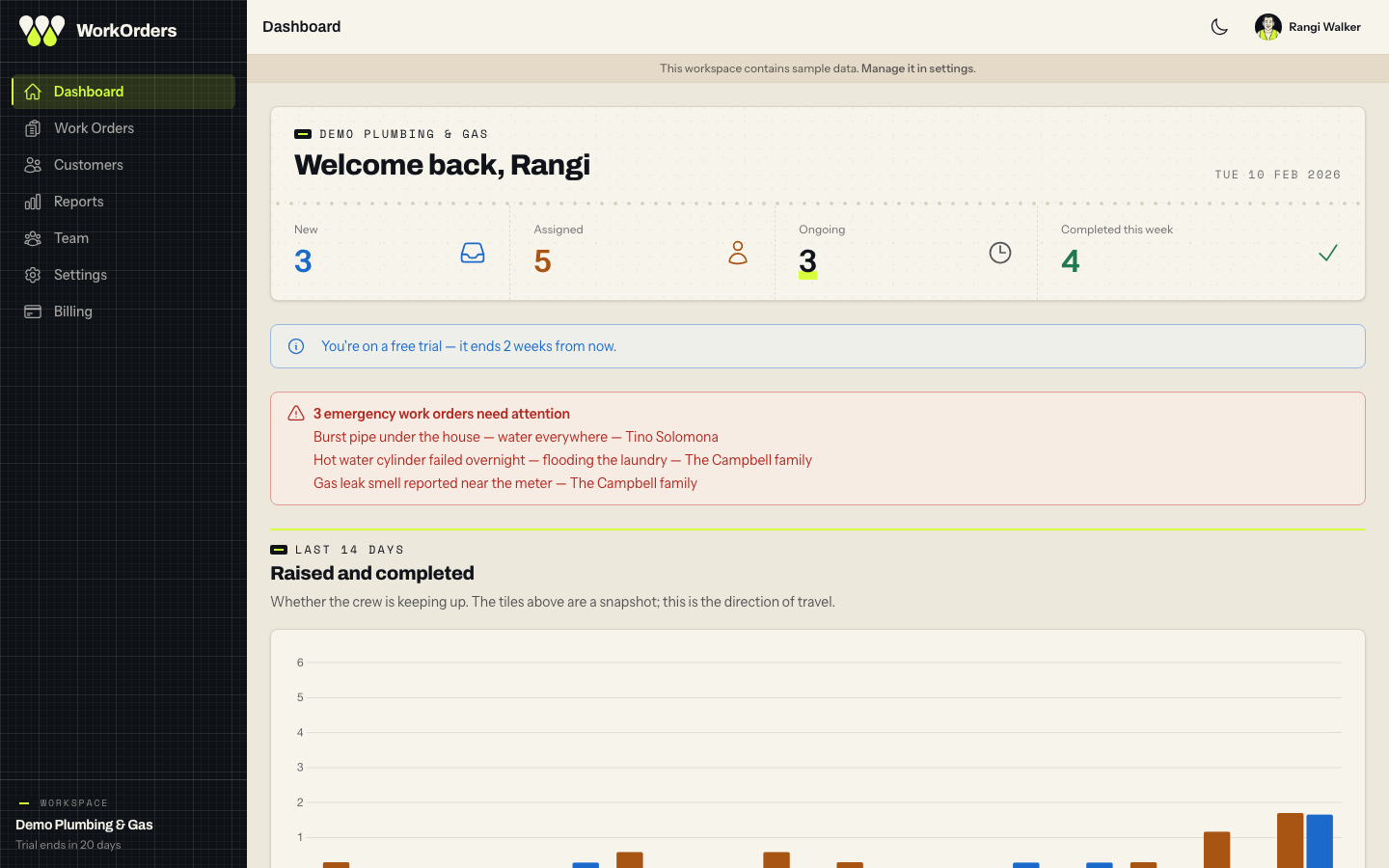
A job claimed in a van appears on the office's dashboard as it happens. The day's numbers and the fortnight's trend move with it. The list of jobs is the other kind of screen: you read down it and it holds still, and it tells you when new work has arrived rather than moving under your hands.
Nobody typed a number into this
Kingsley Plumbing & Gas
Welcome back, Mel
New
2
Assigned
5
Ongoing
2
Completed this week
12
Last 14 days
Raised Completed
Open jobs by technician
- Rangi Hemi 5
- Ana Reti 4
- Dave Marsh 2
- Mia Fenn 1
Every number goes somewhere
A figure you cannot act on is decoration. Each tile on the dashboard opens exactly the jobs it counted, and each technician's row opens what that person is still holding.
The questions you ask monthly, saved
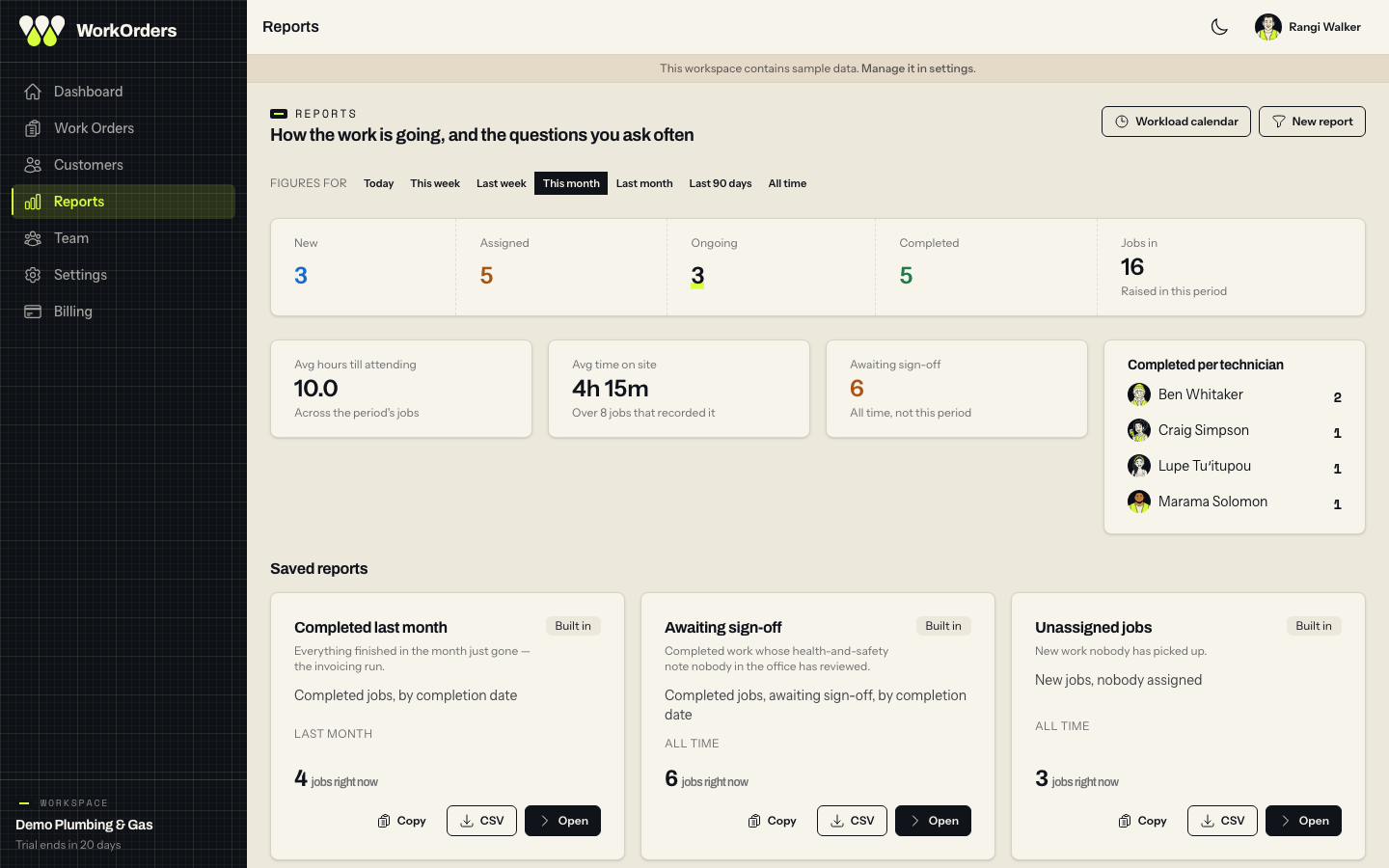
Reports is a strip of figures for a period (how many came in, how long until somebody was attending, the average time on site) over the reports you keep. Each says in plain English what it filters, how many jobs match right now, and exports as it stands.
And the shape of a week
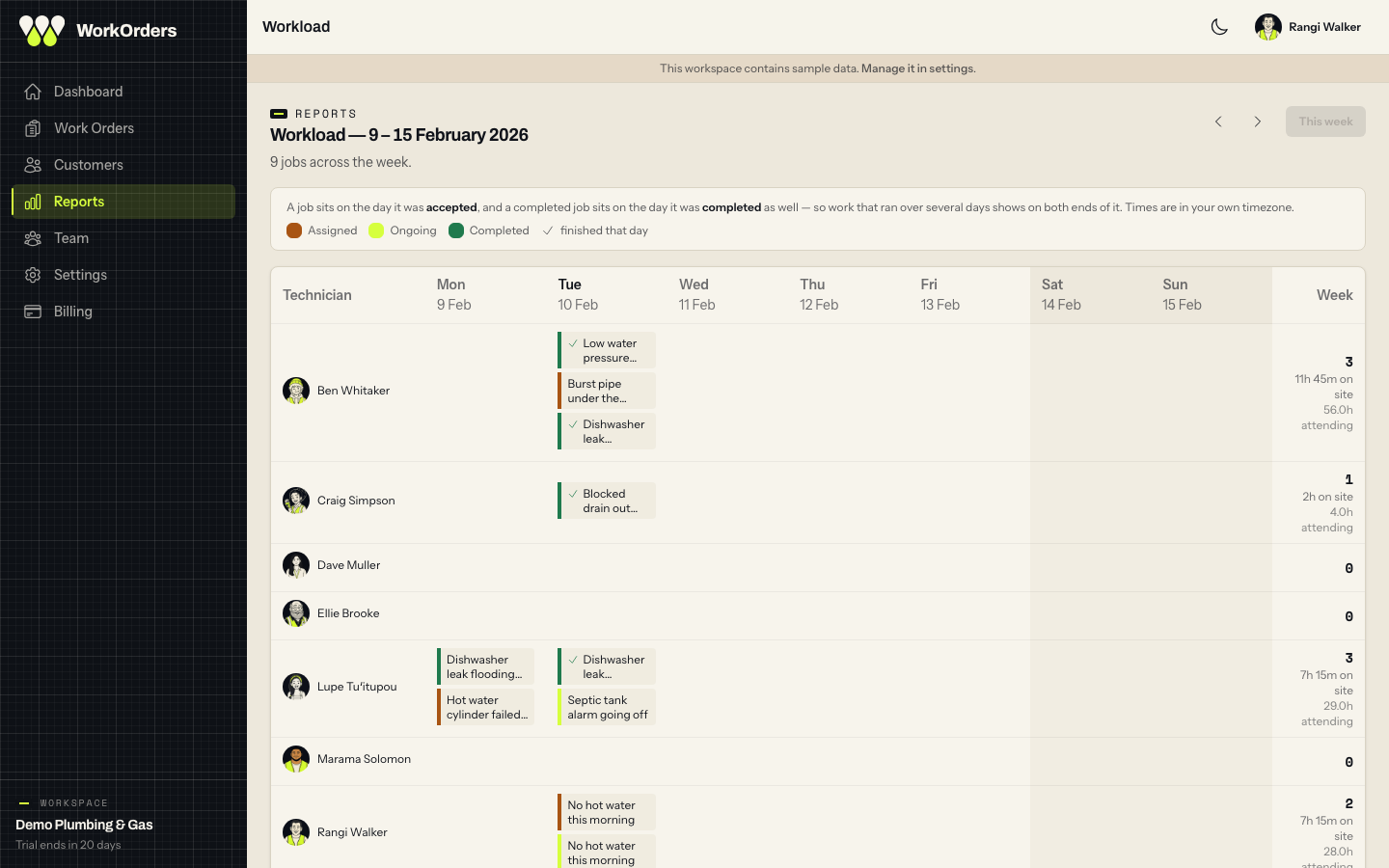
The workload calendar puts a technician on each row and a day in each column, with what was unassigned along the top. It is the one view that shows eleven jobs on Tuesday and nothing on Thursday.
Four · the customer
A portal with no account behind it
The link is in every status email. A property manager opens it and sees their own jobs (what was asked for, where it got to, and what was done) in customer words rather than staff shorthand.
There is still no comment box, because a conversation belongs on the email thread, where a reply already lands on the job. What they can do is add a photo to a request that is running (the leak, three days on) and, if you switch it on, raise a new one from the same page. That second one needs them to sign in with a link emailed to an address you already hold, so it stays your customers rather than whoever they forwarded an email to.
It lives on your own subdomain, so {you}.workorders.nz matches the address customers already write to. See a live demo portal.
WO-6R3XQ8
No hot water - 14 Rutland St, both units
This job is finished.
- Raised
- 12 Mar 2026, 7:38am
- Your technician
- Rangi
- Site
- 14 Rutland Street, Petone
- Completed
- 12 Mar 2026, 4:15pm
What was done
Element and thermostat replaced, cylinder refilled and tested. Hot water confirmed at both units before leaving.
Photos and files
cylinder-service-report.pdf
See all your work requests , and we will email you a link.
Five · more than one company
Nobody here is asked to pick one employer
A person, a phone, or a customer can sit on more than one company's books at once, and WorkOrders keeps each one's work separate rather than asking anybody to choose.
Staff
The same verified email can work for two employers. Once both are confirmed, a workspace switch appears in the sidebar, and each company opens on its own address, so two employers can sit open in two tabs, each with its own two-factor policy.
The field app
A technician can add a second company's account with the access code from that office, switch between them, and gets notified for each. Tapping a notification opens the right job in the right account.
Customers
A customer of several firms on WorkOrders asks for one link at workorders.nz and sees every firm's jobs together. Raising a request asks which firm it is for, and each firm's own portal address still shows only that firm.
Everything in every plan
No feature gates between the plans. The only thing that changes as you move up is how many people are on it.
Email to work order
Your own jobs.workorders.nz address, or any IMAP mailbox including Gmail and Outlook. Requests become work orders with the original message, its thread and every attachment kept alongside.
AI extraction
A plain-English summary, an urgency read, and the site, contact and trade pulled out of the message, all editable before anyone acts on them.
First-to-claim dispatch
A new job goes to the whole crew at once. The first technician to tap accept owns it, and it drops off everybody else's list.
The field app
Today's jobs, the full detail of each, the photos and PDFs that came in with it, and status changes that land in the office the moment they are tapped. On iPhone today; Android is the next build.
See the field appAutomatic customer updates
Status emails go out as a reply to the customer's own message, from your firm, with your sign-off, and their replies thread back onto the job.
Attachment descriptions
Photos and PDFs that arrive with a job are described in words, so a picture of a failed valve is findable six months later.
No-account customer portal
A page a customer opens from the link in their status email, to see their own jobs without emailing to ask, and to add a photo to one. Switch it on and they can raise a new request there too.
Organisations, customers and sites
A person belongs to a firm, and a firm's buildings are shared by everyone who works there, so the six ways one address gets typed become one site, and the history of that building is a click from the job.
Health and safety notes
A technician can flag something unsafe from the van, and it goes straight to whoever in your firm needs to know.
Saved reports
The questions you ask every month, kept by name, each one saying in plain English what it filters and how many jobs match right now. Five are there the day you start.
CSV, in one click
Every saved report exports as it stands, for invoicing, payroll, or a client who wants a summary of last quarter. Or build the query on the spot and export that instead.
The shape of the week
A technician a row, a day a column, and every job on it. Who had eleven on Tuesday and nothing on Thursday, and what sat unassigned all Wednesday.
Time on site
Recorded as the job is closed out (suggested from when the technician said they would arrive, confirmed or adjusted by them), then a column on the board and an average in the figures.
Everyone, one hover away
A person's name anywhere in the app carries their role, phone, email, timezone and how many open jobs they are holding, without leaving the screen you are on.
Ask about this job
The model that read the email is still there afterwards. Ask it what the customer actually said, or have it draft the reply. You decide whether to send it.
Roles, seats and 2FA
Owner, admin, technician. Technicians see their work, not the report with every customer address in it. Two-factor and passkeys on every account, and you can require two-factor of your admins or of everyone.
The real thing
Not a mockup
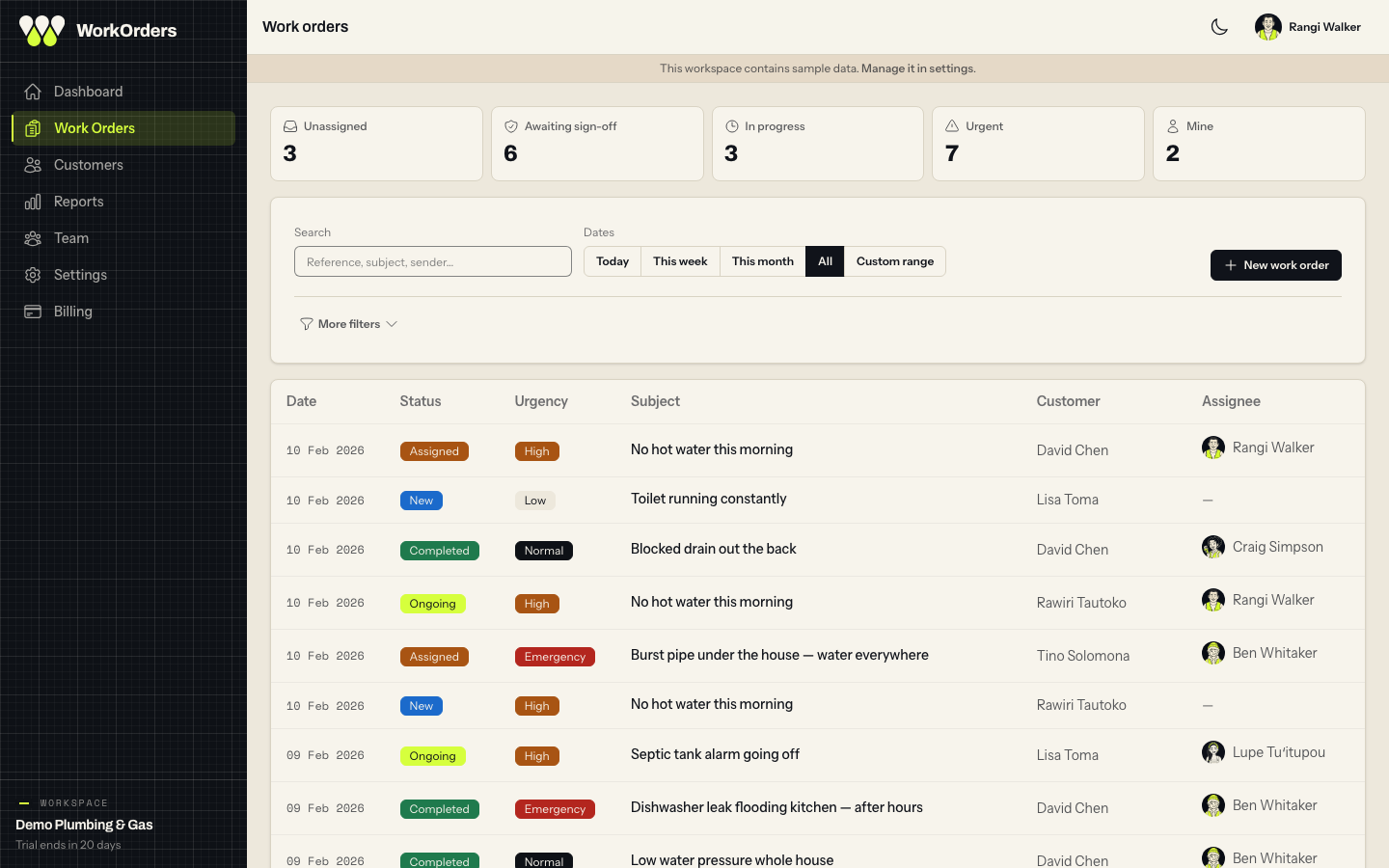
Every drawing on this page is built from the product's real design tokens. These four are something else: screenshots of the actual admin app, running against a seeded demo workspace, taken the same way every time so what you see here is what is on the other end of the trial link.
See it against your own inbox
Connect a mailbox on the trial and watch a week of real requests turn into jobs. That is the only demo that ever convinces anyone.