The email comes in. The work order writes itself.
WorkOrders reads the message and the attachments that came with it, writes the job, works out how urgent it is, puts it in front of the whole crew, and tells the customer what happened, without anyone opening a form.
No credit card · Nothing to install · Cancel whenever
One request, start to finish
Your firm's inbox
Ingested- From
- property.manager@example.com
- Subject
- No hot water - 14 Rutland St, both units
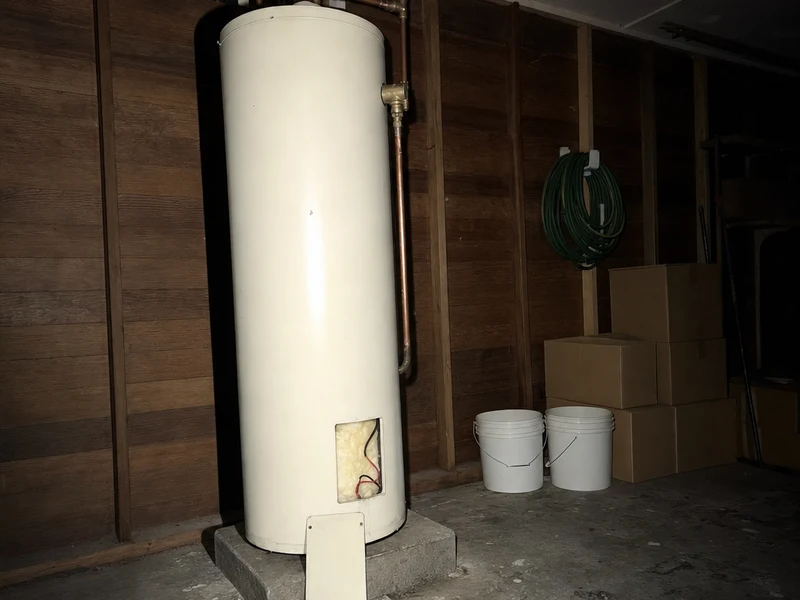
Tenants in both units have had no hot water since last night. The cylinder is in the garage, I've attached the report from the last service. They're home from 3 today. Can you get someone out.
cylinder-service-report.pdf
- Summary
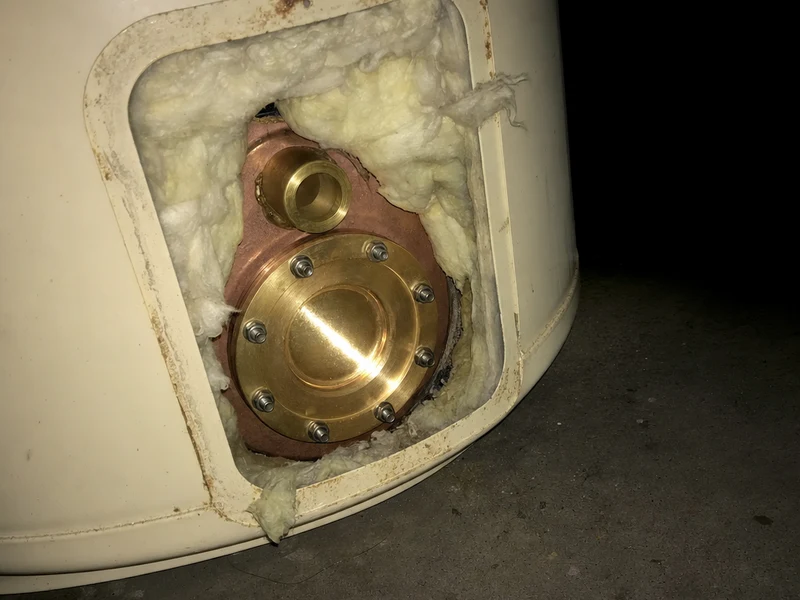
- No hot water to either unit; cylinder is in the garage
- Customer
- Brighton Property Management
- Site
- 14 Rutland Street, Petone
- Access
- Tenants home from 3pm
- Attachment
- Service report for the cylinder, dated last March
The work order is saved the moment the email lands. The model reads it afterwards, and every field it fills is editable.
Unassigned
2
Awaiting sign-off
3
Gone quiet
0
In progress
1
Urgent
2
| Date | Status | Urgency | Subject | Customer | Assignee |
|---|---|---|---|---|---|
| Completed | High | No hot water, both units WO-6R3XQ8 | Brighton Property Management | RH Rangi | |
| New | High | Gas hob will not ignite, café kitchen WO-4KP2QM | Marlborough Hospitality | — | |
| New | Normal | Blocked gully trap, rear of unit 3 WO-9TXB5F | Brighton Property Management | — | |
| Assigned | Normal | Cistern running, level 2 amenities WO-7MHD3C | Kent Terrace Body Corporate | AR Ana | |
| Ongoing | Emergency | Burst riser, basement carpark WO-5BGW7P | Kent Terrace Body Corporate | RH Rangi | |
| Completed | Low | Leaking mixer replaced, unit 12 WO-3RJX6D | Brighton Property Management | AR Ana |
On the crew's phones
- AR Ana
- RH Rangi
- DM Dave
Rangi tapped first. The other two now see it as already assigned. Nobody dispatched it.
From site
“Element and thermostat replaced. Refilling and testing now, will check both units before I leave.”
What the customer sees
This job is finished.
[WO-6R3XQ8] No hot water - 14 Rutland St
Reply-To: wo-8f3c4d21@reply.workorders.nz
A reply to this lands back on the job, in the thread the customer already had open.
Four ways in
Point it at the work. Don't re-key it.
There is no "new job" button on the wall chart in this product, because a work order that has to be typed in is a work order that arrives twice. Four ways in, and every one of them ends at the same docket.
-
01
Your own address, instantly
Every company gets {you}@jobs.workorders.nz the moment it signs up. Forward to it, or just give it out. No app password, no mailbox credentials, nothing to configure. It works before you have finished reading this.
-
02
Connect the inbox you already use
Gmail, Outlook, Microsoft 365 or anything else that speaks IMAP. A host, a user and a password, and we watch the mailbox your customers already write to. Processed mail is labelled, never deleted and never moved, so your office manager's inbox keeps reading the way they expect.
-
03
The API
For work that starts somewhere else: a building management system, a tenant portal, a maintenance schedule of your own. Post the request and it becomes a work order like any other.
Read the API reference -
04
Let your customers raise it themselves
Switch it on and a customer who has signed in to your portal can describe a new job (what, where, and a photo of it) and it lands on your board like everything else. They still need a link emailed to an address you already hold, so it is your customers, not the internet.
Eleven years, one workspace
What the work
actually looks like
Not a pitch. A read-out. One maintenance contractor has run every job through WorkOrders since 2014. Here's what 104,854 of them add up to.
- Arrived by email
- 100%
- Zero typed in. There is no other way in
- Median time to accept
- 30 min
- 62% claimed inside the hour
- Median time to complete
- 14 hrs
- 50% closed same day
- Of inbound email was never a job
- 28%
- Triaged out before anyone drove anywhere
Same-day close rate, by year
Same-day close rate by year: 2015 36%, 2016 39%, 2017 37%, 2018 55%, 2019 58%, 2020 54%, 2021 52%, 2022 53%, 2023 57%, 2024 61%, 2025 58%.
When jobs arrive, by hour
Job arrivals by hour, all years combined: near zero from midnight to 6am, rising sharply from 7am (2,229) to a peak at 9am (13,147), a plateau from 8am to 3pm, then falling off through the evening back to near zero by 11pm.
One workspace, eleven years, every job it ever ran. This describes what the work looked like there, not a promise about what yours will look like.
The automation ladder
Claimed in two minutes.
Closed before lunch.
Seven things happened to this job between the email arriving and the customer reading how it went. A person did exactly one of them: a technician tapped accept, and later said what he had done. Everything else on this rail is the software.
-
7:02am Arrival
It arrives the way it always did
A property manager emails the address she has always emailed. No subject line, the site only in her signature, a PDF of the maintenance request attached. Nobody in your office is asked to do anything differently, and nobody logs into anything to raise it.
-
7:02am Extraction
The job writes itself out of the message
A plain-English summary, the site, the contact and the trade it needs, pulled out of a paragraph that was never a form. The attachments are described in words too, so a photo of a corroded valve is searchable rather than being IMG_4471. Every field is editable. It is a filled-in form, not a decision.
WO-4821 · New -
7:02am Urgency
And it reads how badly it is needed
"No hot water, tenant has a newborn" is not the same request as "when you get a chance". The urgency comes off the words, and it decides where the job sits on the crew's list before anyone has opened it.
Urgency · High -
7:04am The claim
It goes to everyone. First to tap owns it.
Not to a dispatcher deciding who is free, and not to one person's inbox. The whole crew is offered it at once and the first to accept becomes its owner. It drops off everybody else's list, and a second tap is told it has already gone.
Assigned · MT -
7:04am The status email
The customer hears back, from you, unprompted
A reply goes out on her own email, in your company's name and your sign-off, not a notification from software she has never heard of. She gets another when the work starts and another when it is done. Nobody wrote any of the three.
-
9:38am The reply, threaded
She replies. It lands on the job, not in a mailbox.
Her answer (the downstairs flat has gone cold as well) comes back onto the work order itself, in the thread, where the technician who owns it can see it. That is the reply address doing the routing: the job number is in it, so a plain reply cannot get lost.
Ongoing -
11:15am The portal
And she can look without asking anyone
Every status email carries a link to her own jobs: no account, no password, no invitation to accept. What was asked for, where it got to, and what was done. It answers "any update on that?" before the phone rings.
Completed
Nothing on that list was typed in. That's the product.
Nobody opened a new-job form. Nobody copied an address out of a signature. Nobody chased the crew, and nobody wrote to the customer to say someone was coming. The job did not sit unread in a shared inbox because the one person who checks it was on a roof.
Start your 20-day free trialFor the office
One board, and it is telling the truth
Because the field updates it from a phone they are already holding, and the office never has to ask anybody what the state of anything is.
Nobody typed a number into this
Kingsley Plumbing & Gas
Welcome back, Mel
New
2
Assigned
5
Ongoing
2
Completed this week
12
Last 14 days
Raised Completed
Open jobs by technician
- Rangi Hemi 5
- Ana Reti 4
- Dave Marsh 2
- Mia Fenn 1
Every job in one list
A row a job, newest first, under a row of counts for the things that need somebody: unassigned, urgent, in progress, gone quiet, awaiting sign-off. Each count opens exactly the jobs it counted. Filter it, search it, and open any job to the email it came from.
Live, without refreshing
A job claimed in a van appears on the dashboard as it happens. The day's numbers and the fortnight's trend move with it. The list of jobs holds still while you read it, and tells you when new work has arrived rather than shifting under your hands.
Every number is a link
A count you cannot act on is decoration. Each figure on the dashboard opens exactly the jobs it counted, and each technician's row opens what that person is still carrying.
The reports you run monthly, saved
Kept by name, each one saying in plain English what it filters and how many jobs match right now, and a click from a CSV for invoicing, payroll or a client who wants last quarter.
The shape of the week
A technician a row, a day a column, and every job on it, plus what nobody has picked up. Eleven jobs on Tuesday and nothing on Thursday is a thing you can see.
A fortnight of trend
Raised against completed over fourteen days, so "are we keeping up?" is a glance rather than an argument.
Firms, people and their buildings
A customer belongs to a firm, and the firm's sites are shared by everyone who works there, so six spellings of one address become one building with its whole history under it.
Ask about this job
The AI that read the email is still there afterwards. Ask it what the customer actually said, or have it draft the reply. You send it, or you do not.
Team, roles and seats
Owner, admin, technician. Technicians see their work; they do not see the report with every customer address in it. 2FA and passkeys on every account, required of your admins or of everyone if you want it. Somebody who works for two companies here can switch between them from one sign-in.
For your customers
They can look. There is nothing to sign up for.
Every status email carries a link to the customer's own jobs. No account, no password, no invitation sitting unaccepted in someone's inbox for a fortnight.
The portal lives on your own subdomain too, so {you}.workorders.nz matches the address your customers already write to. See a live demo portal.
They read their own words back
What they asked for, where it got to, and what was done, in customer language, not staff shorthand. A job is Received, then Booked in, then In progress.
Or they just reply
A reply to any status email lands back on the work order, in the thread they already had open. The job number is in the reply address, so it cannot get lost.
And they can send you a photo
A picture of the leak, three days on, straight onto the request it belongs to. No reply, no attachment lost in a thread. Still no comment box: a conversation belongs on the email, where it already lands on the job.
WO-6R3XQ8
No hot water - 14 Rutland St, both units
This job is finished.
- Raised
- 12 Mar 2026, 7:38am
- Your technician
- Rangi
- Site
- 14 Rutland Street, Petone
- Completed
- 12 Mar 2026, 4:15pm
What was done
Element and thermostat replaced, cylinder refilled and tested. Hot water confirmed at both units before leaving.
Photos and files
cylinder-service-report.pdf
See all your work requests , and we will email you a link.
Who it is for
Different work. Same first move.
A breakdown on a production line and a leaking cylinder in a rental have almost nothing in common, except that both of them turned up as somebody's email.
Manufacturing
A line goes down and the message is three words from the floor. It becomes a job with a plant, a machine and an urgency on it, in front of whoever is on maintenance today.
Construction
Defects, variations and make-goods arriving from a site manager, a QS and a head contractor at once. All of it lands on one board with the original email still attached to it.
Field services
Vans, call-outs and a day that reorders itself by lunchtime. The urgent one sorts to the top of the list on its own, and the first technician free takes it.
Property management
Formal, repeat, attachment-heavy requests: a maintenance form as a PDF, the address in the footer. WorkOrders reads the attachment as well as the message, so the job knows which unit it is for.
IT and tech support
Tickets that were always going to be email, whatever anybody bought. Triage, priority and ownership without asking a single customer to learn a helpdesk.
If the work reaches you in writing, it can reach you as a job.
Start the trial and it fills itself with sample work for your trade, so you are looking at a board that resembles yours on the first screen rather than an empty one.
Everything it doesIn the field
Nobody hands the work out.
The crew takes it.
A new job goes to every phone at once. The first person to tap accept owns it, says how long until they are on site, and it drops off everybody else's list. Two people cannot take the same job. The second one is told it has already gone.
That one rule removes a category of office work: no deciding who is free, no ringing three people to find out, no job sitting unread because the person it was sent to is up a ladder.
Today, in order
New, theirs, and everything on. The urgent ones sort to the top without anyone ranking them.
The whole story
The original email, the photos and PDFs that came with it, the site and who asked, not a one-line dispatch note.
Three taps to move it
Assigned, ongoing, done, each with a note, and each landing in the office the moment it is tapped.
Health and safety on the spot
Flag something unsafe from the van and it goes straight to whoever in the firm needs to know.
On iPhone today, Android next · Free with every plan
See the field appFirst tap wins
WorkOrders
No hot water, both units
14 Rutland Street, Petone
Ana and Dave now see it as already assigned.
WorkOrders · now
New work order · high
No hot water, 14 Rutland St
One price. However busy the week gets.
Flat monthly plans with a seat cap, not per-user billing. Put the summer casual on it and your invoice does not move.
Van
For a working owner and a couple of hands.
$29 /month
NZD, excluding GST. Billed monthly.
$33.35/month including GST.
3 active members , flat price, however many of them are working today.
- Up to 3 active team members
- Unlimited work orders and customers
- Email-to-work-order inbox
- Job photos and attachments
- Customer status emails
Crew
For a crew with someone in the office.
$79 /month
NZD, excluding GST. Billed monthly.
$90.85/month including GST.
10 active members , flat price, however many of them are working today.
- Up to 10 active team members
- Everything in Van
- Multiple inbound mailboxes
- CSV reporting and exports
- AI job summaries and extraction
Yard
For a full team across multiple sites.
$149 /month
NZD, excluding GST. Billed monthly.
$171.35/month including GST.
25 active members , flat price, however many of them are working today.
- Up to 25 active team members
- Everything in Crew
- Priority support
- Multi-site customer histories
- Onboarding and data import help
Fleet
For more crews than one yard holds.
Let's talk
Priced on how many you are.
As many as you need , and the seat count is part of the conversation.
- More than 25 active team members
- Everything in Yard
- Seats and price agreed with you
- Help moving your history off your current system
Full pricing and FAQ · 20-day free trial, no credit card
Put your next job in front of the whole crew
20 days free. No credit card, no salesperson, and no contract to get out of.